
Breathe Easier When It Comes to Payroll Tax

Comprehensive
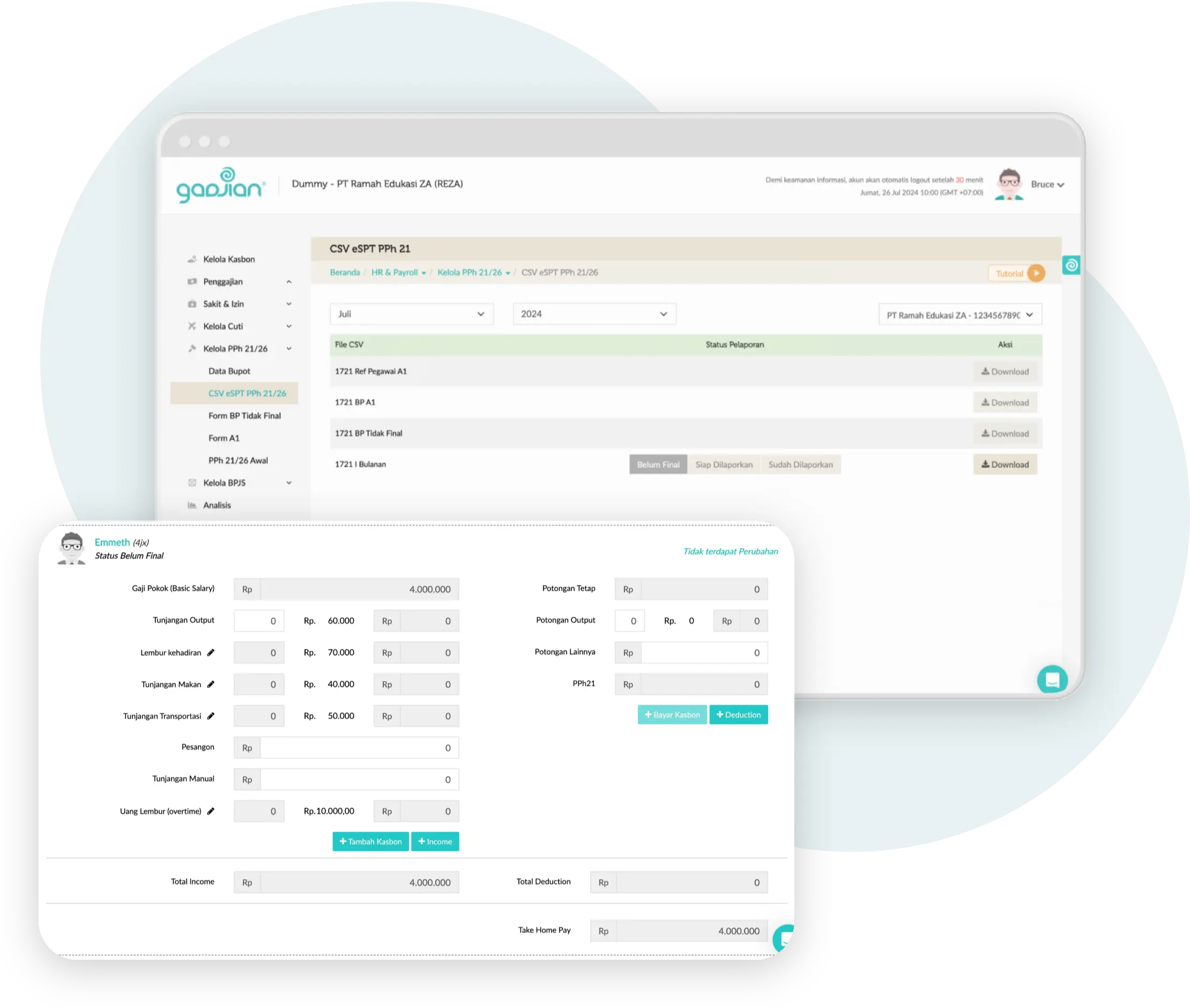
Calculate employee taxes using various methods for different types of employees (permanent, contract, internship, outsourcing).

Accurate
Gadjian uses algorithms that comply with current regulations, ensuring accurate tax calculations.

Easy Management
Simple and user-friendly settings make data entry and automated tax calculations a breeze.
FAQs About Gadjian, the All-in-One HR Solution

What is the difference between PPh 21 and PPh 26?
The main difference between PPh 21 and PPh 26 lies in the taxpayer's status. PPh 21 applies to the income of resident individual taxpayers (Indonesian citizens or foreigners who stay more than 183 days). PPh 26, on the other hand, applies to income received by non-resident taxpayers, for example foreign workers staying in Indonesia for less than 183 days, at a final rate of 20% of gross income. Gadjian can calculate both automatically within a single system.
Can Gadjian calculate employee PPh 21 automatically?
Yes. Gadjian is an HRIS and payroll application that can calculate employee PPh 21 and PPh 26 automatically and accurately. You simply configure employee data and salary components, and Gadjian calculates each employee's tax every month, including the year-end recalculation. The system supports various methods (gross, gross-up, net) and different employee types, saving HR time and minimizing the risk of miscalculation.
What types of employees can have their taxes calculated in Gadjian?
Gadjian can calculate taxes for various income recipients, namely permanent employees, non-permanent employees, professional/expert workers or consultants, pension recipients, and foreign workers (expatriates). The calculation is performed automatically according to each profile, using either the PPh 21 scheme or PPh 26 for foreign workers classified as non-resident taxpayers.
Does Gadjian support tax calculation for multiple company tax IDs (NPWP)?
Yes. If your company has several entities or business units, you can register each company's NPWP (tax ID) in Gadjian. The system calculates the tax and generates a recapitulation automatically and separately for each NPWP, making multi-entity tax management tidy and free from mix-ups.
How do you make a PPh 21 and PPh 26 correction (pembetulan) in Gadjian?
When there is a change in tax regulations, a payroll data correction, or a miscalculation in a previous period, you need a PPh 21 and PPh 26 correction. Gadjian simplifies this by automatically recalculating employee tax for the corrected period. You do not need to recompute manually, making the correction process faster and far less prone to errors.
What is the Initial PPh 21/26 feature in Gadjian and when is it needed?
The Initial PPh 21/26 feature is designed for companies that start using Gadjian in the middle of a running year. By entering the tax already withheld before joining, Gadjian can continue the calculation correctly without starting over. This feature prevents errors in the annual accumulated tax, especially during the December recalculation.
Does Gadjian provide automatic withholding tax slips and reporting CSV files?
Yes. Gadjian provides withholding tax slips (bukti potong) and reporting CSV files that you can download easily. These files are ready for tax reporting, so all PPh 21 and PPh 26 administration can be completed within one system, without preparing documents manually.
Is the tax calculation in Gadjian always updated to the latest regulations?
Yes. One of Gadjian's advantages is a tax calculation system that is always updated to follow the latest tax regulations in Indonesia, including the application of the TER method under Government Regulation No. 58 of 2023 and Minister of Finance Regulation No. 168 of 2023. As a result, you do not need to worry about outdated calculations when tax rules change.
Why use the Gadjian PPh 21 calculator instead of calculating manually?
Calculating PPh 21 manually is error-prone because it involves many variables such as PTKP status, TER categories, multiple methods (gross, gross-up, net), and the year-end recalculation. The Gadjian PPh 21 calculator computes all of this automatically, accurately, and quickly, complete with withholding tax slips and reporting CSV files. As a result, HR teams save time, reduce the risk of penalties from miscalculation, and can easily manage taxes for many employees.
Automate Payroll Tax Calculations and Save Time. Reduce Errors & Eliminate Stress.
Try Gadjian for Free